

A DaVinci Resolve alternative when you do not need a finishing suite
Drift is a lighter DaVinci Resolve alternative for social and everyday video. Free, open source, with grading, scopes, keyframes and tracking — but no Fusion or Fairlight.
Best for: People who downloaded Resolve, bounced off the UI, and just wanted captions, a timeline and an MP4.
| Compared | DaVinci Resolve | CutWire Drift |
|---|---|---|
| Price | Free edition plus paid Studio | Free, GPLv3 |
| Learning curve | Steep | Usable in minutes |
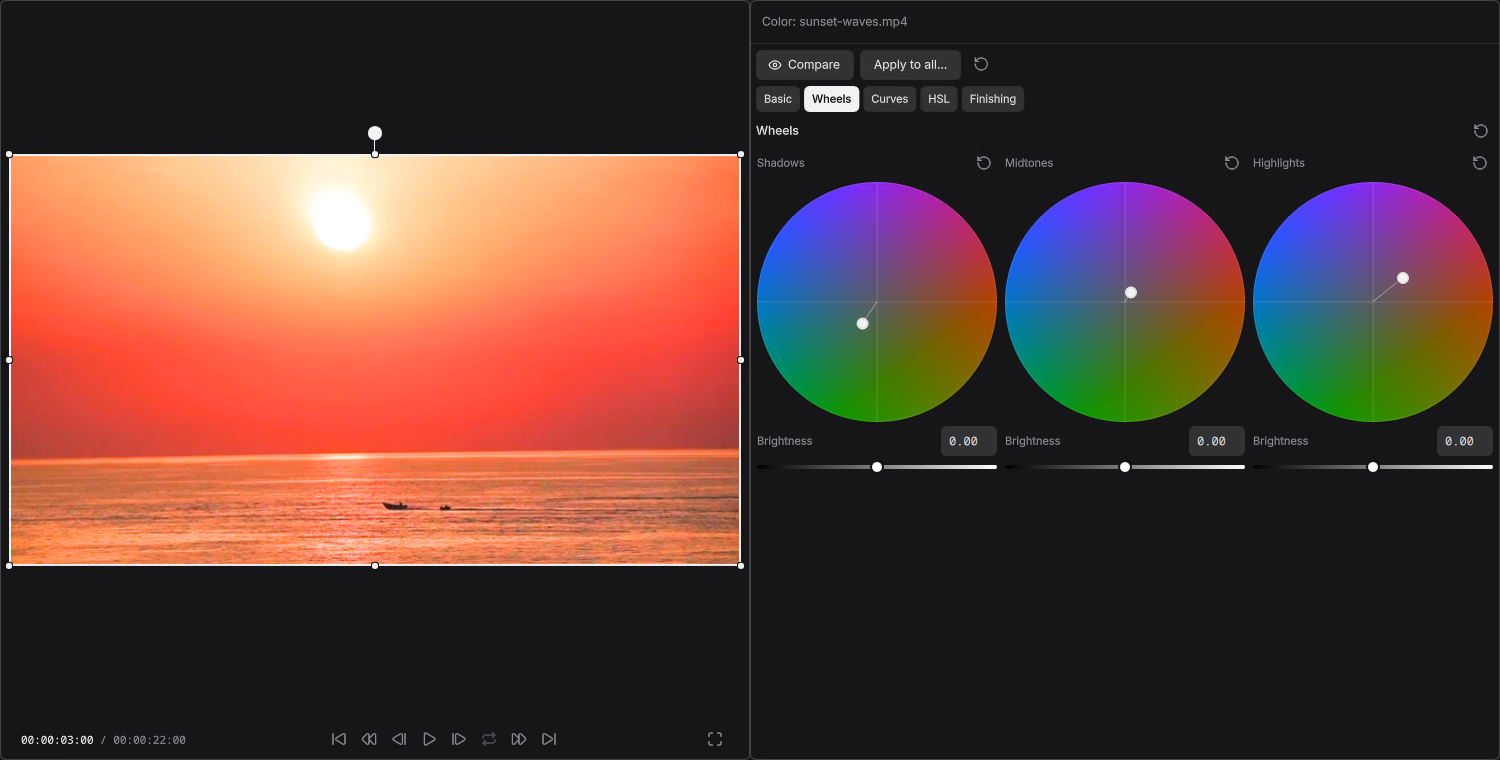
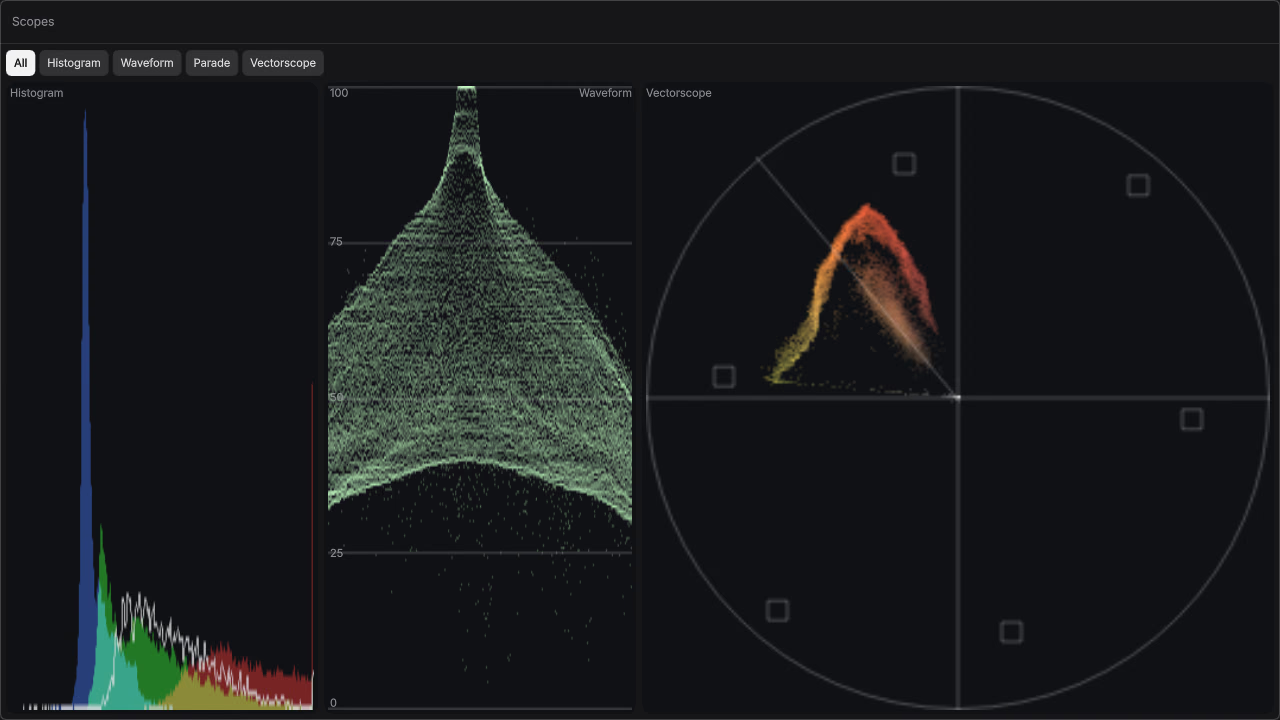
| Color / finishing | Industry-leading, node-based | Wheels, curves, HSL, LUTs, scopes; no node graph or color management |
| Social extras | Not the point | Stickers, karaoke captions, beat templates, 23 effect templates |
| Hardware | Happiest on serious GPUs | Lighter app, also on Android |
| Linux | Official build, GPU caveats | Flathub / AppImage |
| Open source | No | Yes (GPLv3) |
| Keyframes | Deep | Graph editor with Bezier handles and elastic easing (desktop) |
| Motion tracking | Point and planar tracking | Point and planar trackers feeding masks, follow and stabilize (desktop) |
| Text-to-speech and captions | Captions available; varies by edition | Local Whisper and local text-to-speech with voice cloning |
Where DaVinci Resolve still wins
- Resolve is the right tool for Fusion node compositing and Fairlight audio post. Drift has neither.
- { "Its color pipeline is deeper": "node-based grading, color management, HDR workflows and professional control surfaces." }
- The free edition is already a professional NLE if you invest the time.
- Collaboration, Resolve Project Server and Studio features have no Drift equivalent.
- Resolve imports and exports interchange formats. Drift does not import Premiere, Resolve or other editors’ projects.
DaVinci Resolve is not overrated. It is overkill for a 30-second captioned clip. People search for a DaVinci Resolve alternative when the installer is huge, the page is named Color, and they still have not made a cut.
Drift will not replace Resolve on a feature film. It does cover more than it used to: color wheels, curves, HSL, LUTs and waveform, parade and vectorscope, plus a keyframe graph, masks, planar tracking and 3D. It is still simple enough to get a Reel, a lesson video or a gameplay clip out the door.
Who should switch
- You wanted “free like Resolve” but simple like CapCut
- Your computer is not a Resolve workstation
- You want basic-to-intermediate grading with scopes without learning nodes
- You care about stickers, auto captions and local voiceover more than Fusion
Who should stay on Resolve
Stay for narrative or commercial finishing, Fusion VFX, Fairlight audio mixing, color-managed pipelines or team workflows. Recommend Drift to the volunteer who only needed to caption a talking head, or the creator who wants a quick grade and keyframes.
See the full Drift feature list or FAQ. Product names are used only to identify the software people already search for. DaVinci Resolve is a trademark of Blackmagic Design Pty Ltd.