Boring live, one beam,a Prism splits the scene.
CutWire Prism is a node-based live video mixer for volunteers, streamers and small venues. Wire your sources, mix two decks, and push to a projector, NDI or a virtual camera — free, forever.
Linux · Windows · macOS (source build) · GPLv3
Everything a small production needs. Nothing that scares a volunteer off.
Resolume is powerful and expensive. TouchDesigner is powerful and steep. Prism picks a different fight: be usable in ten minutes, honest about what it does, and free.
Node canvas, not a spreadsheet
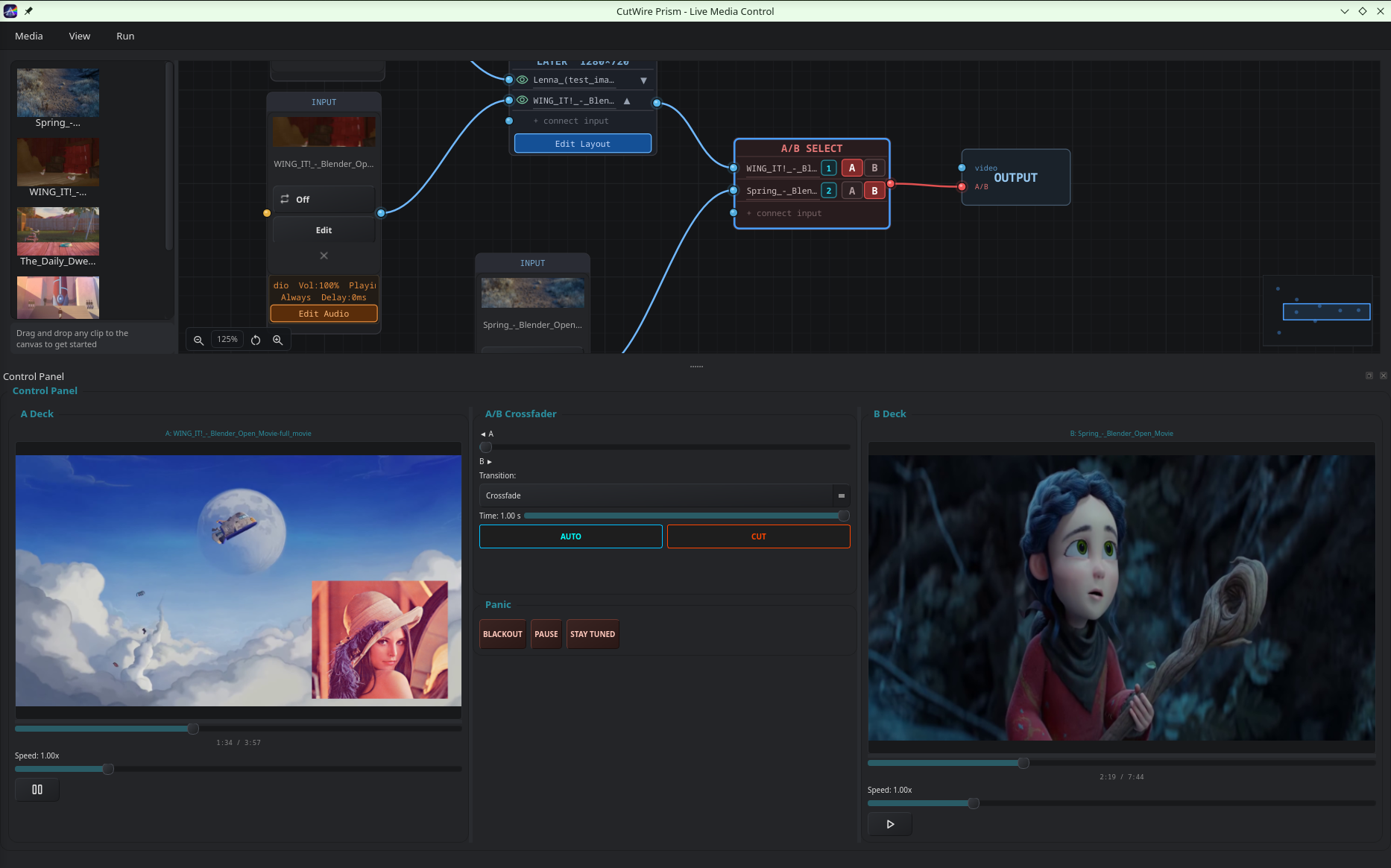
Drag media onto a graph and wire Input → Process → Layer → A/B → Output. What you see is what plays.
Two decks, one crossfader
Familiar A/B mixing with AUTO, CUT, per-deck speed, and transitions from crossfade to 3D cube and flip.
Sub-50ms feel
FFmpeg decode into OpenGL compositing. Cue a clip, hit CUT, it's on the wall. No spinner, no lag.
Everything is a source
Video files, images, slideshows, cameras, screen capture, shaders, HTML, text, Lua, NDI, or a phone via QR.
AI background removal
Drop a webcam node, add Remove BG, and MediaPipe segmentation keys out the room. No green screen required.
Scripting when you need it
Lua 5.4 for live text and data overlays. GLSL fragment shaders — including audio-reactive presets — as first-class sources.
NDI, OBS & virtual camera
Output to a projector window, NDI network, or a virtual camera that appears in OBS, Zoom or the browser. Control from OBS over WebSocket.
Panic buttons that actually work
Blackout, Pause the current frame, or slam a Stay Tuned overlay. Always one click away when the laptop misbehaves.
One pipeline. Left to right.
Every Prism show — school match, church service, or streamed DJ set — is the same five kinds of nodes wired in the same direction.
- Step 1Input
Video, camera, screen, shader, HTML, text, Lua, NDI, phone.
- Step 2Process
Crop, flip, AI background removal — live.
- Step 3Layer
Stack and position sources on a 1280×720 canvas.
- Step 4A/B Select
Assign sources to Deck A or Deck B.
- Step 5Output
Projector, NDI, virtual camera, or recording.
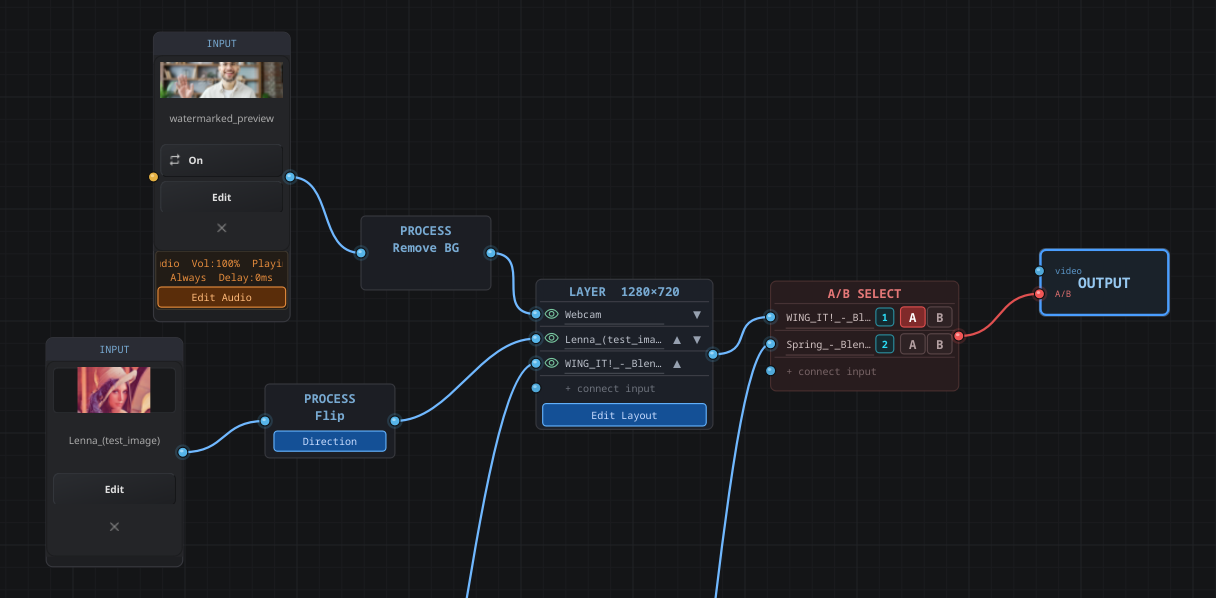
Ten minutes to first show
- 1Import your media into the asset library.
- 2Drag sources onto the canvas.
- 3Wire Input → Process → Layer → A/B → Output.
- 4Assign to Deck A or B, or bind a hotkey.
- 5Mix with the crossfader, AUTO or CUT.
- 6Open the output window, enable NDI or virtual camera, hit record.
Real UI. Not concept art.
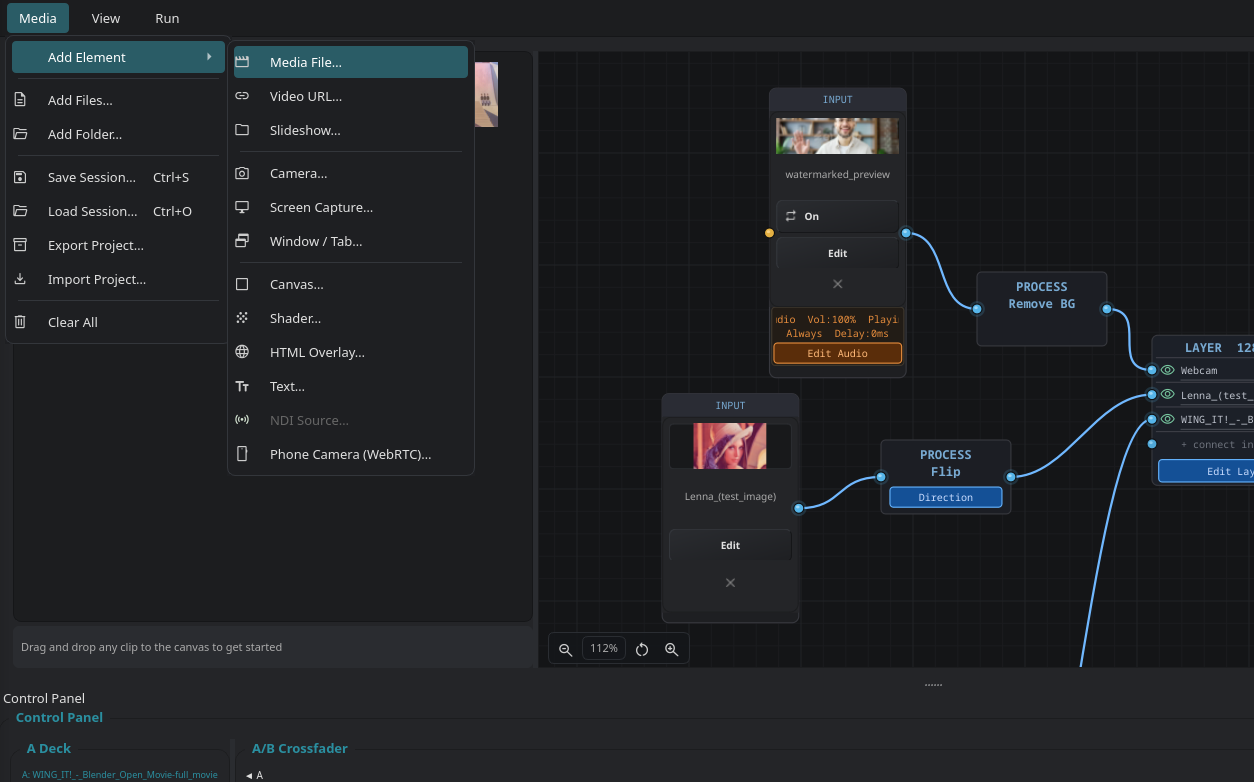
Every input under one menu
Media file, video URL, camera, screen capture, canvas, shader, HTML, text, NDI, phone over WebRTC — one picker.
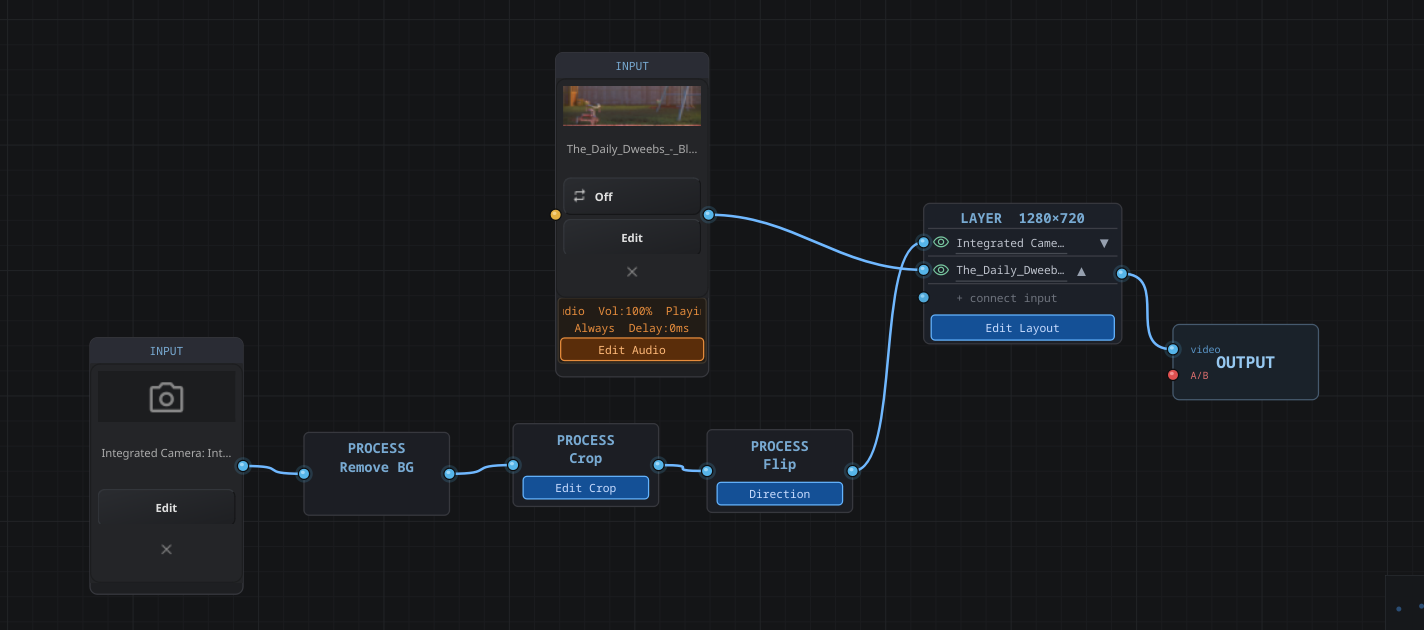
Process what comes in
Chain Remove BG, Crop and Flip on any input. AI segmentation keys a webcam without a green screen.
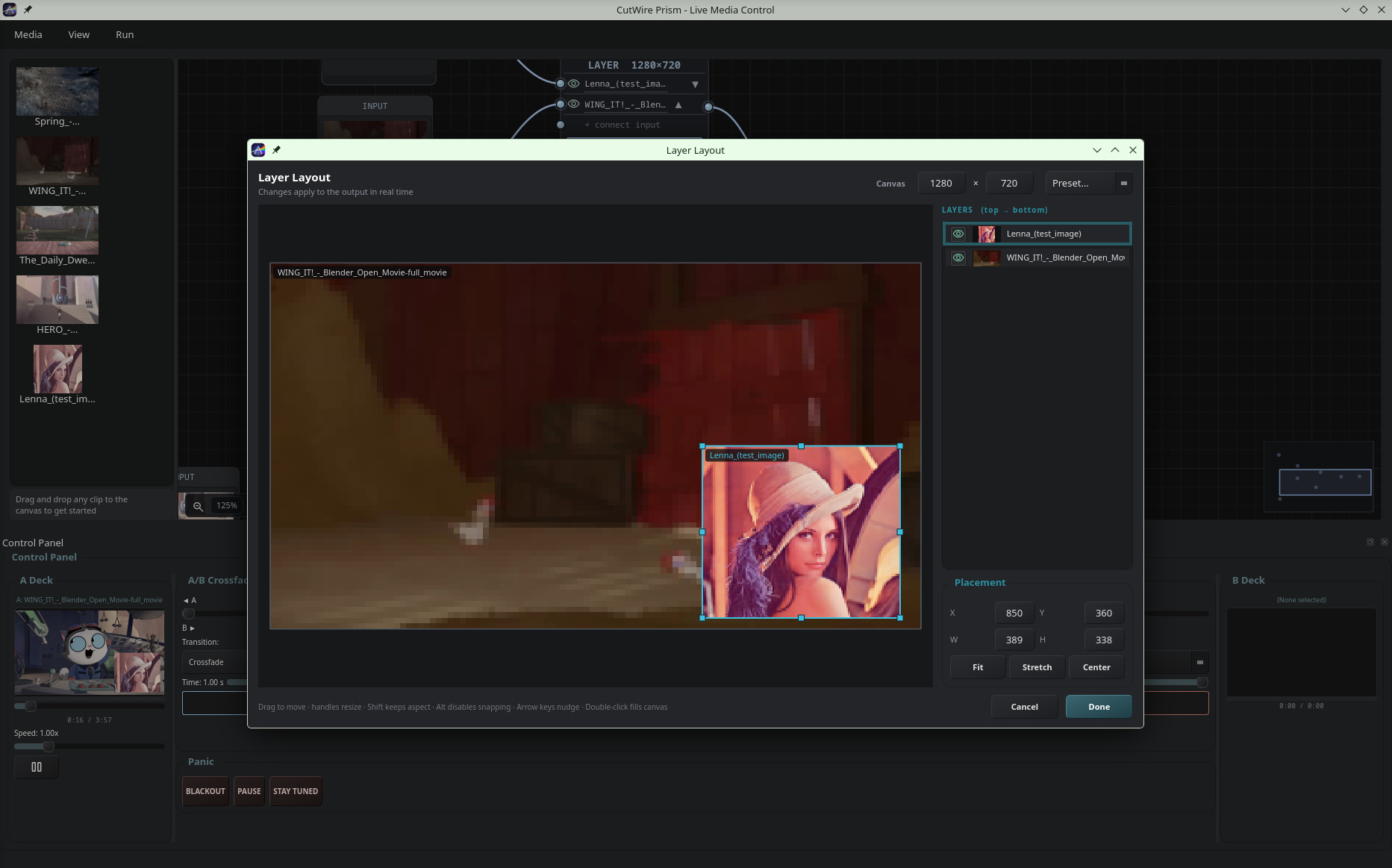
Layer layout in real time
Drag, resize, snap, fit or stretch. Changes hit the output the moment you move a handle.
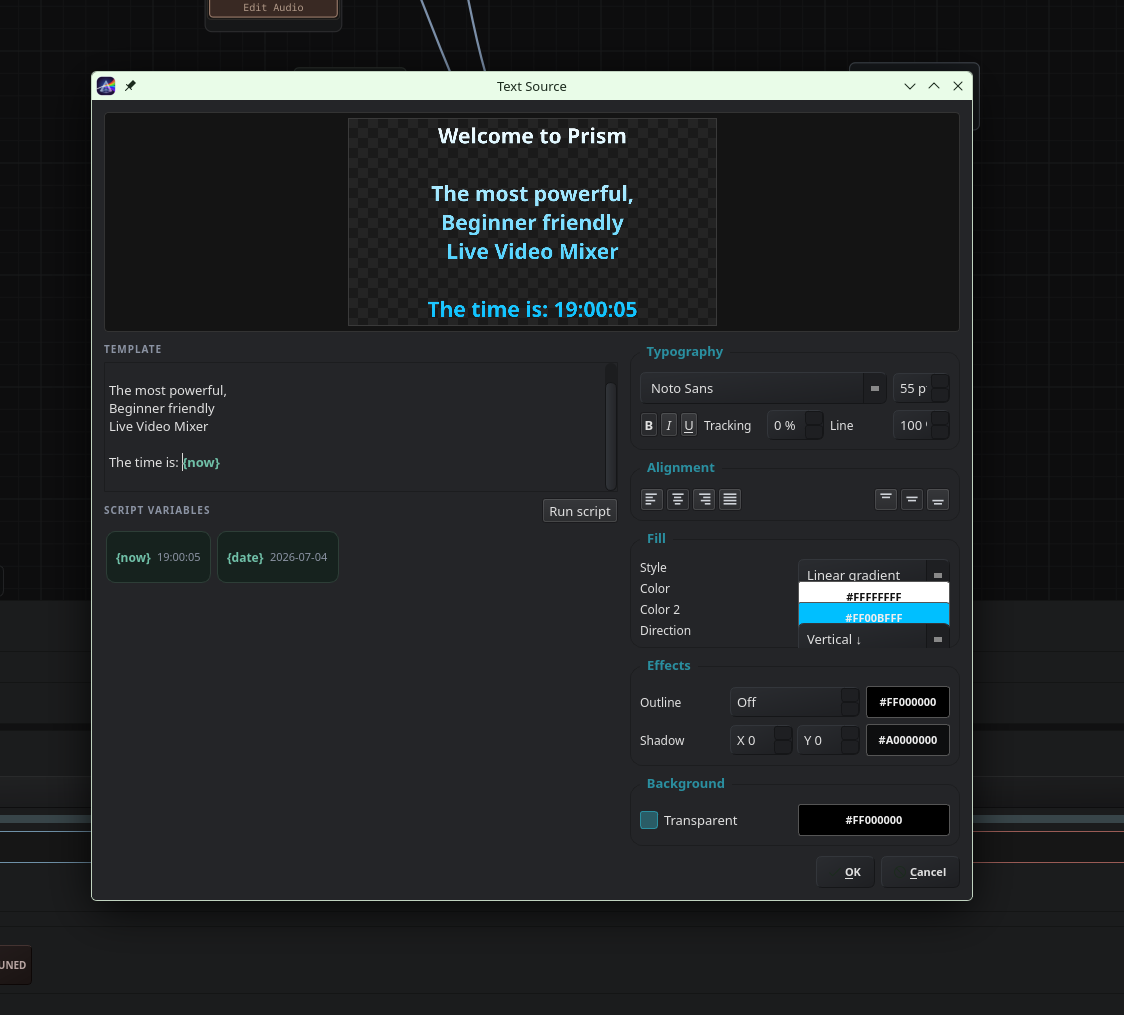
Titles, lower thirds, live clocks
Styled text sources with gradients, outlines, shadows and script variables like {now} and {date}.
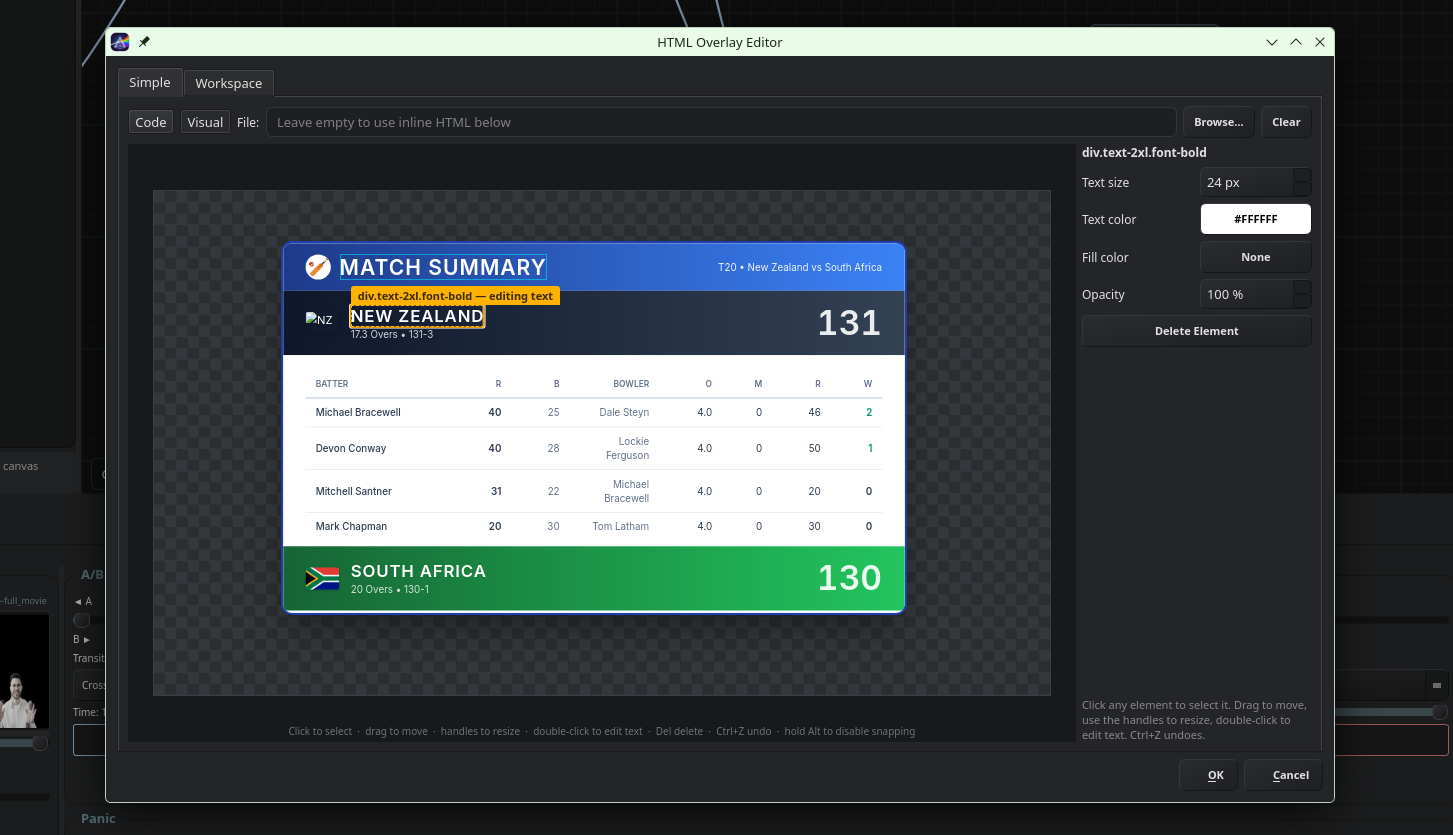
HTML overlays without the HTML
A visual editor for scoreboards, timers and lower thirds. Or drop in your own HTML file when you want full control.
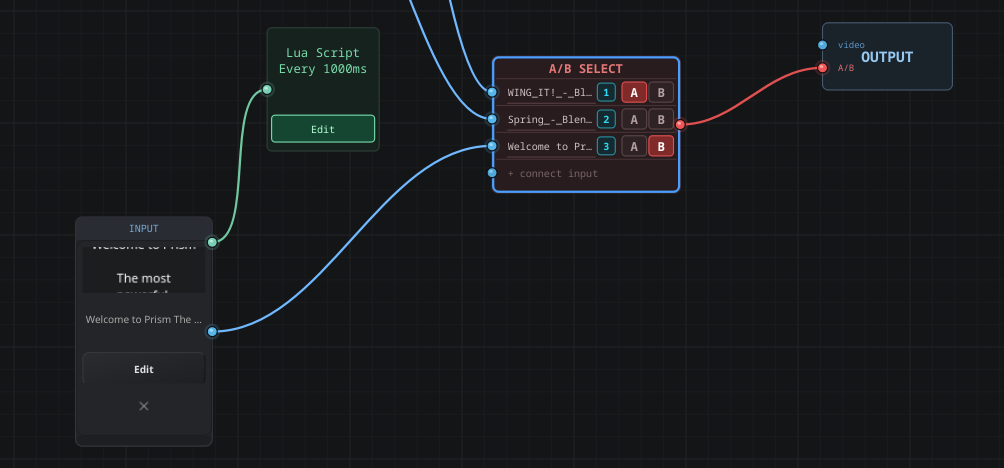
Lua scripts drive live data
Run a 5.4 script on an interval to generate scores, weather, tickers — anything you can express in a few lines.
People with a real deadline and no budget.
School & college events
Cricket and football highlights, live scoreboards, assembly slides, prizegiving reels — run by student volunteers.
Churches, theatres, community AV
Lyrics, camera cuts, pre-recorded segments and a Stay Tuned card for when the laptop needs a moment.
Small concerts & clubs
Music videos, GLSL shaders reacting to the audio FFT, quick cuts between decks with a real crossfader.
Streamers & OBS setups
Feed Prism into OBS as a virtual camera, or trigger scenes over the OBS WebSocket. NDI in and out.
Local sports broadcasts
Score overlays, freeze-frame replays, program recording with markers, FLAC audio capture.
Early, under active development — file the bugs you hit or read the source.