CutWire Drift app icon Free & open source · GPLv3 · v0.1.0

Create polished videos fast — free, open, and yours.

Drift is a free desktop video editor that feels simple from the first cut. Drop in video, photos and music, add effects and stickers, generate captions, and export — no subscription, no watermark, no account.

Linux · Windows & macOS (source build)

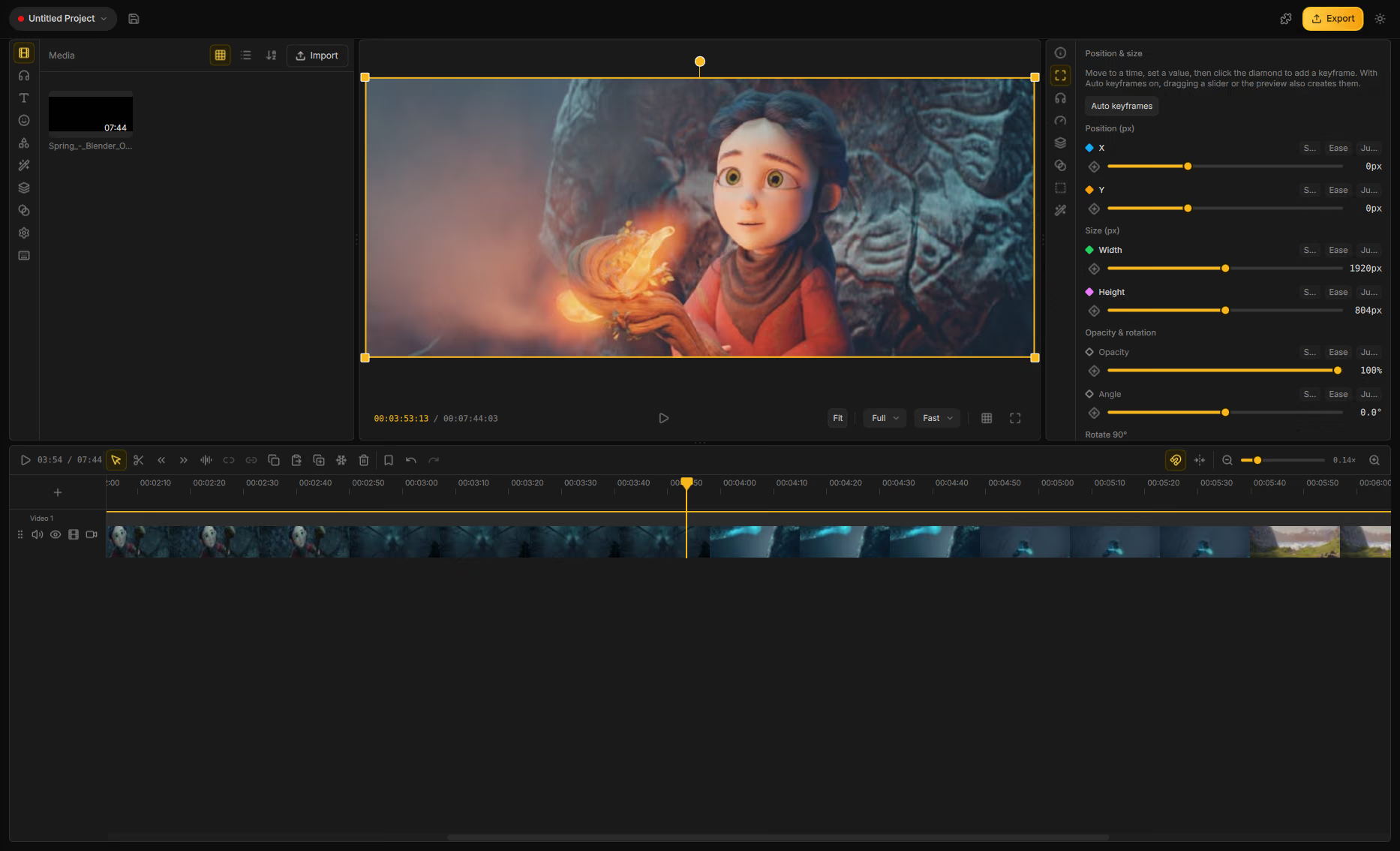
CutWire Drift main window: effects library, video preview and multi-track timeline
For creatorsFor educatorsFor social videoFor explainersFor everyday editsFor open-source fans

Features

Creator-speed editing. Desktop freedom.

CapCut is fast — until the watermark, the account wall, or the cloud lock-in. Drift is a free CapCut alternative that keeps the approachable workflow and leaves the strings off.

A timeline that stays out of the way

Stack video, audio, text and shapes. Trim, split, snap and undo — edits feel immediate.

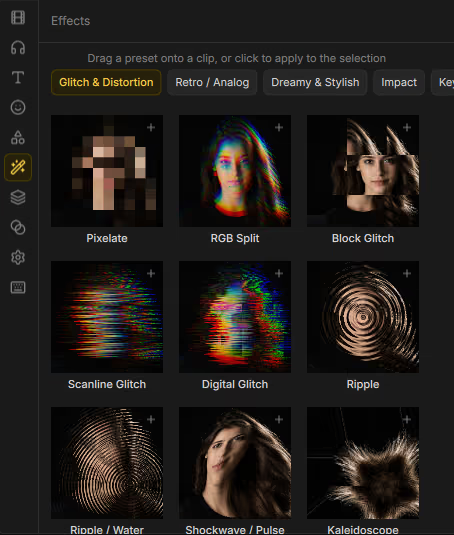
Effects, transitions & templates

Style clips with GPU effects and transitions, then save looks you like as reusable templates.

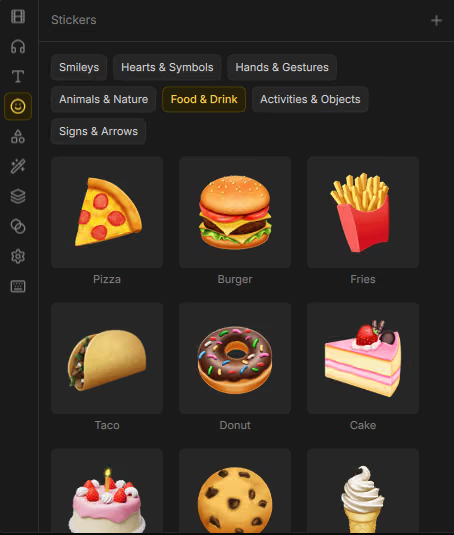
Stickers, emoji, titles & shapes

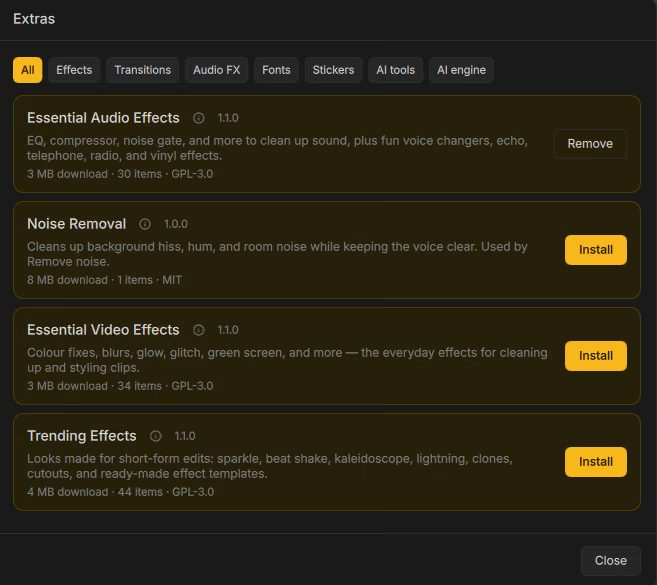
Finish the frame without leaving the editor. Optional packs install only when you need them.

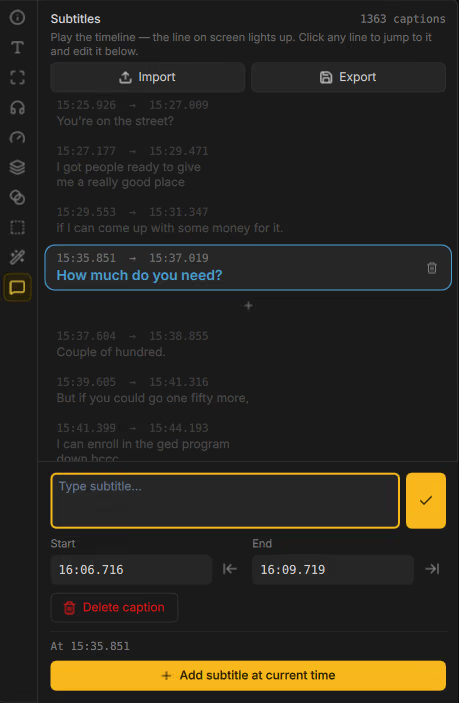
Auto captions from speech

Generate captions from talking clips, then tweak timing and wording on the timeline.

Cutouts, masks & green screen

Isolate a subject, mask a clip, or key out a green screen when you need a clean composite.

Speed, reverse & beat motion

Ramp speed, flip playback, fade in and out, and animate to the beat of your music.

Mix and clean audio

Balance tracks with an effect chain, then quiet background noise when a take is rough.

Projects that travel

Bundle a project with its media so collaborators and backups stay together.

How it works

Import. Edit. Export what you previewed.

Preview and export share the same compositor — so the MP4 matches the timeline, not a second rendering path.

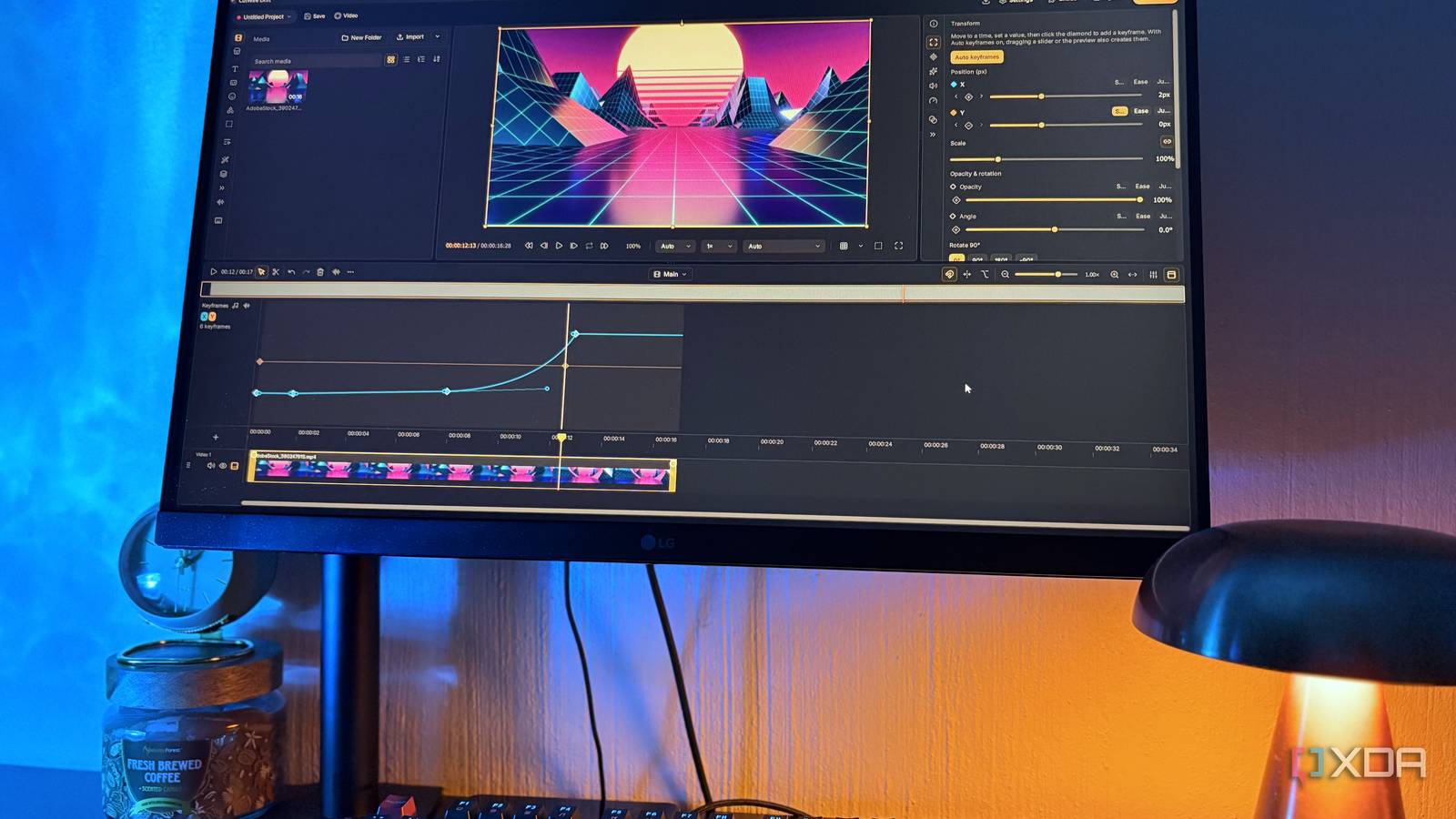
CutWire Drift multi-track timeline with video, effects and audio

Six steps to a finished cut

  1. 1Import video, photos and music into your media library.
  2. 2Drop clips onto the multi-track timeline.
  3. 3Trim, split and arrange — snap when you want precision.
  4. 4Add effects, text, stickers or shapes.
  5. 5Generate captions, cut out a subject, or clean the audio.
  6. 6Export an MP4 that matches what you saw in preview.
Export: H.264 + AAC MP4 with quality presets that keep your project aspect ratio.

Screenshots

Real UI from the editor.

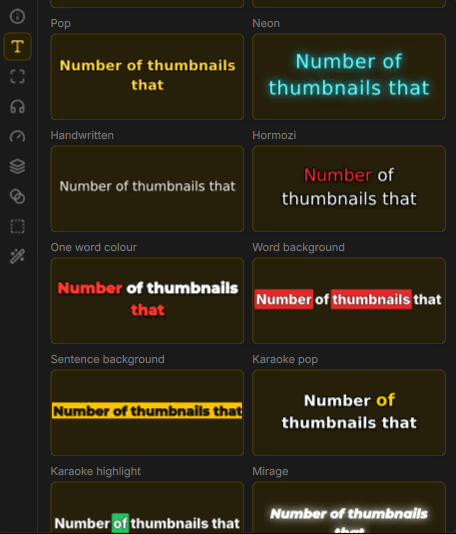
Titles with real style control

Titles with real style control

Pick a style pack, then tune font, color, outline, shadow and alignment — titles that match the cut without leaving the editor.

Stickers & emoji on demand

Stickers & emoji on demand

Browse sticker packs and drop emoji onto the timeline — optional packs install from Extras when you want more.

Looks you can reuse

Looks you can reuse

Browse GPU effects by category, then save combinations as templates for the next project.

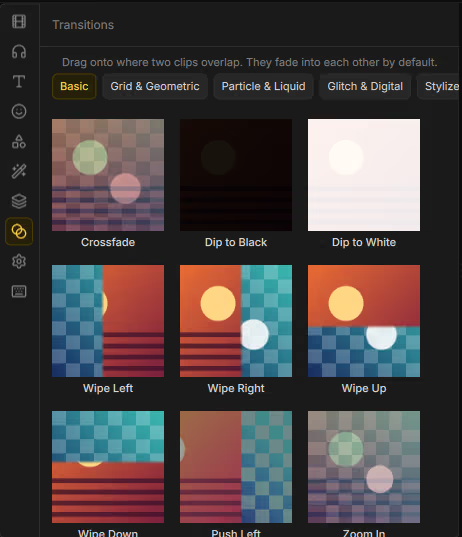
Transitions between clips

Transitions between clips

Drag a style onto overlapping clips — crossfades, wipes, glitch and cinematic blends with adjustable duration.

Captions without the busywork

Captions without the busywork

Speech becomes editable cues on a dedicated track — ready for social or accessibility.

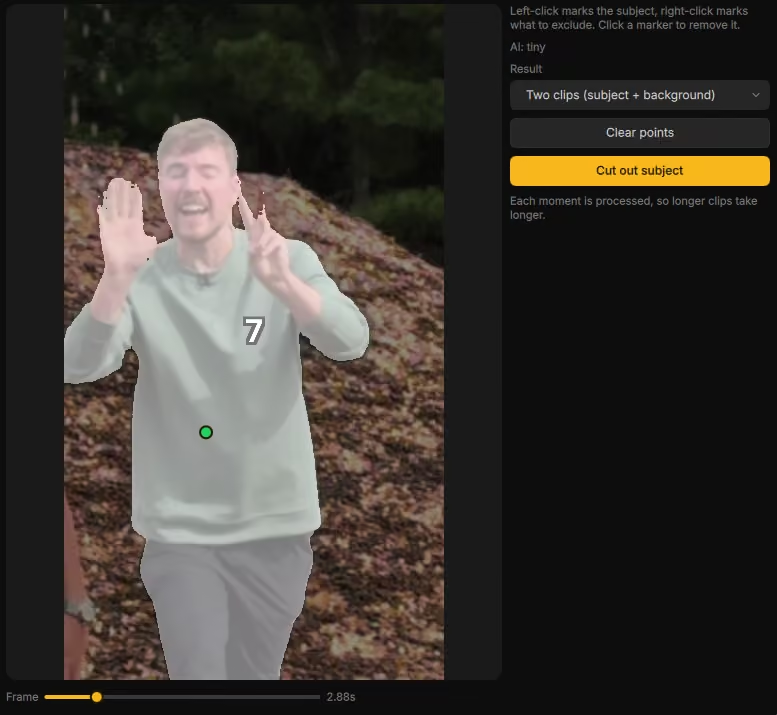
Cut subjects out of the frame

Cut subjects out of the frame

Mark what to keep, generate a matte, and composite without a studio setup.

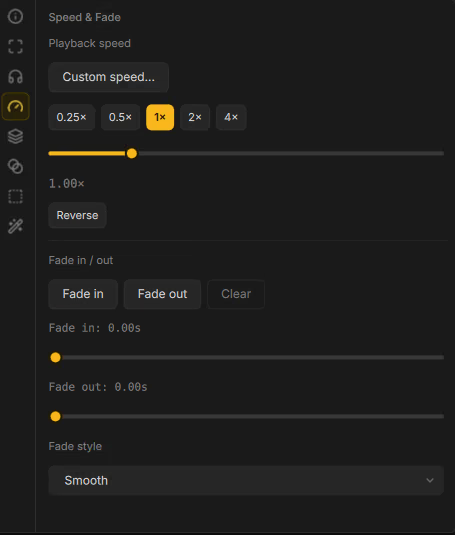
Speed that feels intentional

Speed that feels intentional

Change playback rate, reverse clips, and fade edges — or open a custom speed curve when you need more control.

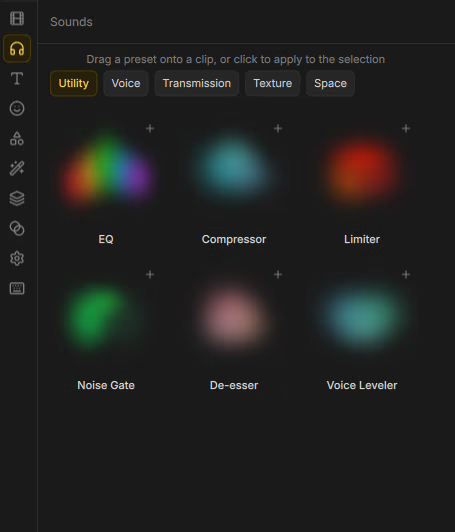
Audio effects that fit the track

Audio effects that fit the track

Chain EQ, space, voice and utility presets from the Sounds library — mix and clean without a separate DAW.

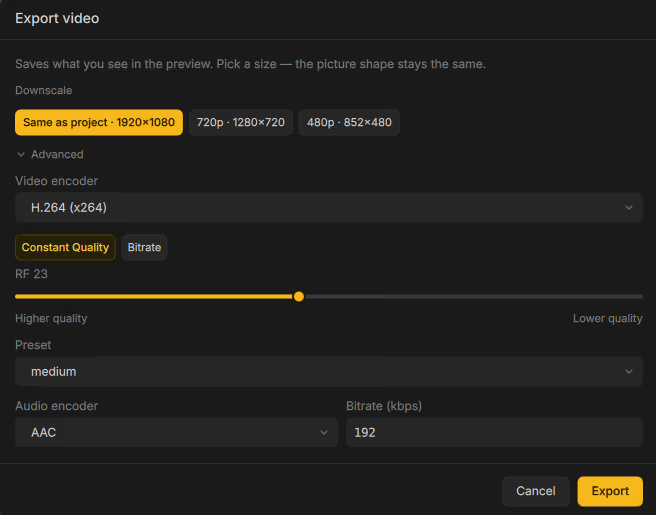
Export formats that match preview

Export formats that match preview

Pick a size, then choose H.264, H.265, AV1, ProRes and more — with quality or bitrate control and matching audio codecs.

Start light, grow as you go

Start light, grow as you go

Fonts, stickers and speech models install on demand so the base download stays lean.

Made for

People who want results without the learning curve tax.

Social & short-form creators

Cut, caption and style clips for the platforms you already post to — without a subscription wall.

Teachers & course makers

Explainers, lesson clips and demos with titles, shapes and clean audio in one pass.

YouTubers & podcasters

Multi-track edits, noise cleanup and captions that match what you see in preview.

Teams that share projects

Bundle media with the project file so nothing goes missing when someone else opens it.

Open-source builders

GPLv3 desktop app on Qt 6 and FFmpeg — fork it, ship addons, or just use it.

Download

Free. Open source. Actually free.

GPLv3, no account, no telemetry, no upsell. Version 0.1.0 is early and under active development — please file the bugs you hit.

Linux

Recommended

Install from Flathub when available, or build from source with CMake.

flatpak install flathub org.cutwire.Drift
flatpak run org.cutwire.Drift

Windows

Installer

Download the Windows installer from GitHub Releases, or build from source with CMake and Qt 6.

# Grab Drift-Setup-*.exe from
# github.com/CutWire-Studios/Drift/releases

macOS

Build from source

No prebuilt binary yet — clone the repo and build with CMake and Qt 6.

git clone https://github.com/CutWire-Studios/Drift
cmake -B build && cmake --build build

Under the hood

Native desktop. One compositor.

Drift is a Qt 6 + FFmpeg app — not a browser tab. Preview and export share FrameCompositor so what you see is what you ship.

  • Qt 6 · QMLUI
  • C++20 · CMakeCore
  • FFmpegDecode & encode
  • FrameCompositorPreview = export
  • OpenGL / GPU effectsLooks
  • ONNX RuntimeCaptions & ML
  • Addon packagesFonts & stickers
  • GPLv3License

Your next video — on your desktop, tonight.

No login. No trial. No feature tier. Import a clip, make a cut, export.