

A free CapCut alternative with no watermark and no account
Drift is a free CapCut alternative for Linux, Windows, macOS and Android. Multi-track timeline, captions, stickers and export — no watermark, no account, no subscription.
Best for: People who like CapCut’s speed but not the watermark, the account wall, or the lack of a proper Linux desktop app.
| Compared | CapCut | CutWire Drift |
|---|---|---|
| Price | Free tier plus CapCut Pro | Free, GPLv3, no Pro wall |
| Watermark on export | Common on the free tier | Never |
| Account | Required for most features | No account |
| Where it runs | iOS, Android, Windows, macOS (no Linux app) | Linux, Windows, macOS, Android |
| Your files | Cloud and account tied | Stay on your device |
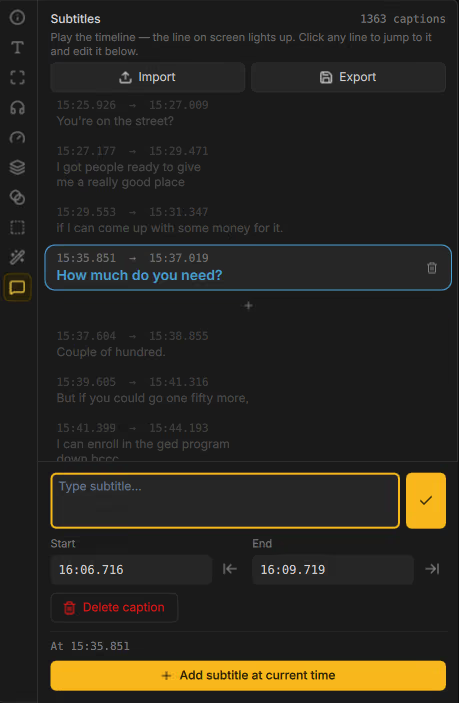
| Auto captions | Often gated behind Pro | Local Whisper, 99 languages, free |
| Stickers and titles | Huge library, some paid | Built-in packs plus optional addons |
| Open source | No | Yes (GPLv3) |
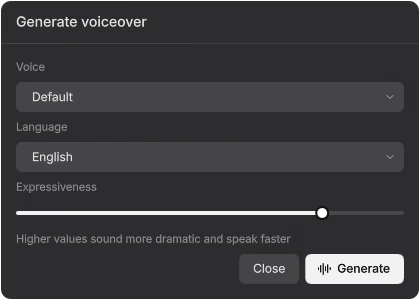
| Text-to-speech | Built in; some voices and limits vary by plan | Local, 21 languages, voice cloning; optional cloud voices with your key |
| Keyframes | Basic to advanced, varies by plan | Keyframe graph editor with Bezier and elastic easing (desktop) |
| 3D and motion tracking | Varies by plan | 3D layers, models, camera, point and planar tracking (desktop) |
Where CapCut still wins
- CapCut’s mobile apps are excellent if you edit on a phone, and CapCut runs on iPhone. Drift has no iOS app.
- The stock template, effect and media library is much larger.
- Publishing helpers for TikTok and other apps are more built-in.
CapCut is the editor most people mean when they say “make a Reel tonight.” It is fast. It is also a product with a free watermark, an account, and features that move behind Pro.
Drift copies the part worth copying — a timeline that does not fight you, effects, stickers, captions, cutouts — and drops the strings. You install an app on your computer or Android phone, drop in clips, and export an MP4 that does not advertise someone else’s brand.
Who should switch
- You hit a watermark on a video you wanted to post
- You want a CapCut alternative on Linux
- You do not want footage sitting in someone else’s cloud
- You want captions, text-to-speech with voice cloning and cutouts that run locally after a free model download
- You want a native app with a bigger multi-track timeline, keyframe graph editor and tracking
Who should stay on CapCut
If you live inside CapCut’s template store, or you edit on iPhone, stay for now. Drift is on Google Play for Android, but there is no iOS app. Drift does not pretend to replace CapCut’s template catalog.
What you get in Drift instead
A multi-track timeline, GPU effects and 23 effect templates, local auto captions with edit-by-transcript, subject and people cutouts, beat tools, color grading with scopes, 3D and export that matches preview. On Android you get the touch layout; grading, the graph editor and tracking are desktop only. Details live on the feature list.
Download Drift — free CapCut-style editing on Linux, Windows, macOS and Android.
See the full Drift feature list or FAQ. Product names are used only to identify the software people already search for. CapCut is a trademark of ByteDance Ltd..